ID cards and passports
Scan both sides of an ID card or the data page of a passport.
 jonisapps
Scan ID cards and passports, adjust the crop and save them as an PDF.
 Jonis ID Scanner
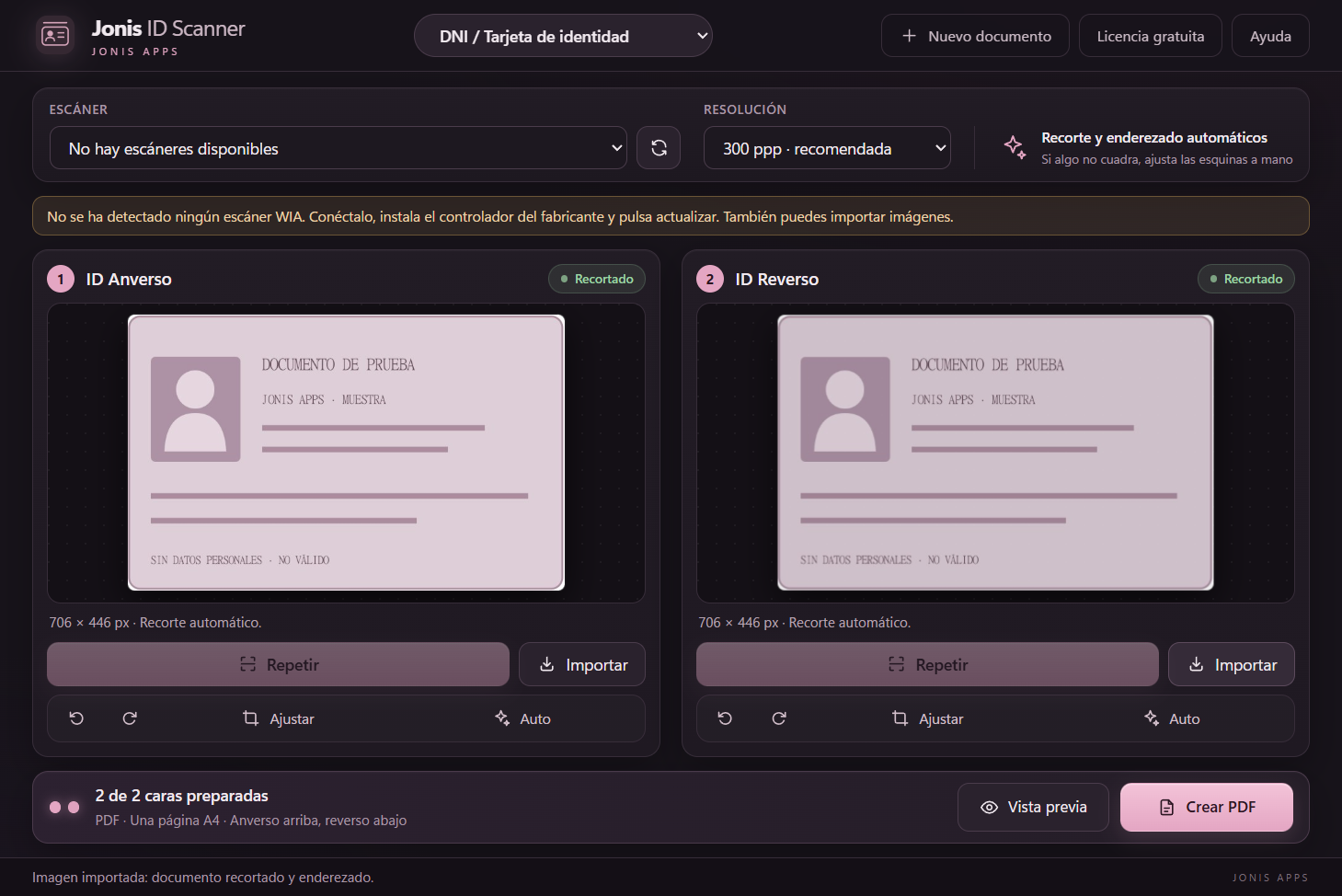
Scan both sides of an ID card or the data page of a passport.
Remove excess scanner background, review the edges and adjust the crop manually.
Preview your document and save it as a PDF with the original proportions.
Your documents are processed on your computer, without uploading them to servers.
Install the manufacturer’s WIA driver, connect the scanner and select it in the app.
Choose ID card or Passport. Scan the required sides, or import images.
Adjust the crop, check the preview and save the PDF.

Windows 10 / 11 · 64-bit
Download for Windowsv1.2.0 · Windows installer (.exe)
Coming in January 2027.
Windows scanners with a compatible WIA driver. Compatibility depends on the model and driver. You can also import images from the manufacturer’s software.
No. The PDF contains images; the app does not include OCR or read passport chips.
Download the installer, open it and follow the steps. Windows may show a SmartScreen warning because the installer is not signed yet: click “More info” and then “Run anyway”.
Personal use is free. Business use requires a separate licence.
Yes. The macOS version is coming in January 2027.