Video and full screen
View your capture device’s video. Fit the image or fill the screen with a double-click.
 jonisapps
View video and hear audio from your USB capture device on Windows / macOS / Linux.
 Jonis View
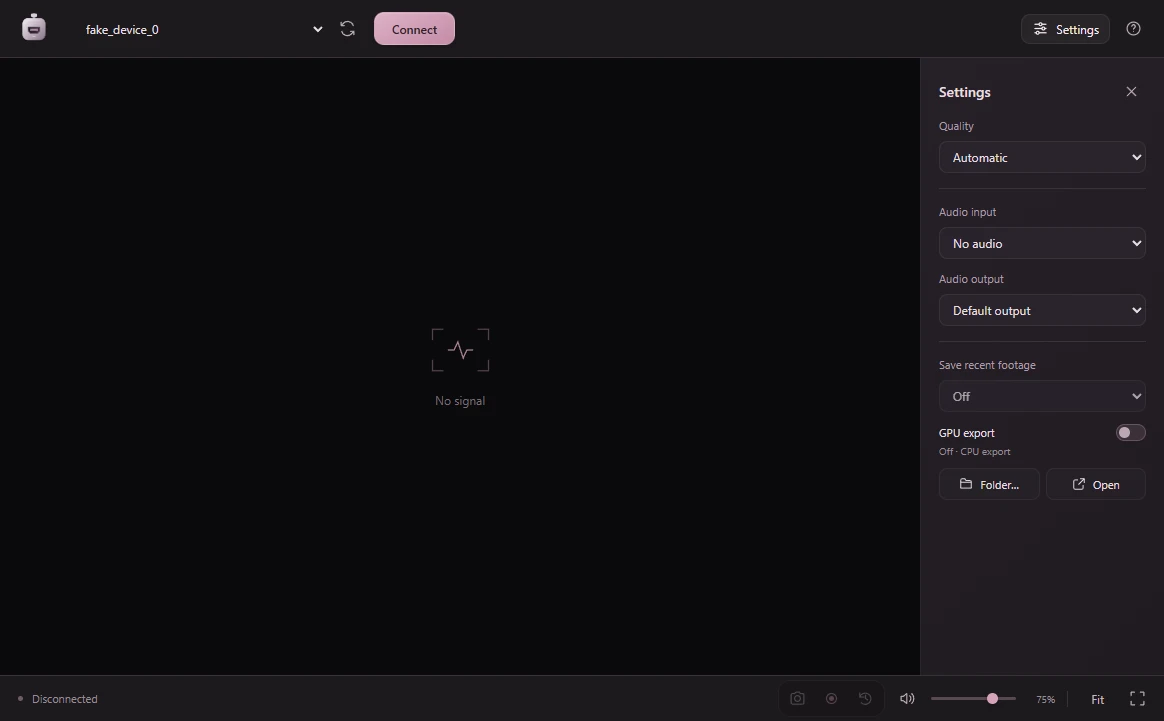
View your capture device’s video. Fit the image or fill the screen with a double-click.
Choose your audio input and output, adjust the volume and mute when needed.
Your preferences are saved on your computer for your next session.
The signal plays on your computer. Jonis View does not send your video or audio to servers.
You need a UVC-compatible USB capture device.
Connect your device’s HDMI output to the capture device, then connect its USB cable to your computer.
Open the app, select your capture device and press “Conectar señal” (Connect signal).
Select the audio and adjust the image. Press F to enter full screen.

Windows 10 / 11 · 64-bit
Download for Windowsv0.3.0 · Official Microsoft Store installer
macOS Ventura or later
v0.1.2 · DMG · Apple Silicon / IntelLinux · x64
Download for Linuxv0.1.2 · AppImageOn Windows, run the Microsoft Store installer. On Mac, choose Apple Silicon or Intel and open the DMG; macOS Ventura or later is required. On Linux, download the x64 AppImage and allow it to run. Some distributions require FUSE.
A UVC-compatible USB capture device recognised by your system. Resolution, frame rate and latency depend on the hardware and format. Close other apps using the device.
Windows v0.3.0 saves PNG images, records MP4 clips and saves recent footage. Press P for an image and R to start or stop a clip. For live streaming, capture the app window with streaming software. Recording features are not available in macOS and Linux v0.1.2.
On Windows, enable 15, 30 or 60 seconds in Settings, then press B to save the available footage. Replay is off by default; changing the source, format or audio disables it. Saving starts a new history.
On Windows, files go to Videos/Jonis View. Change or open the folder in Settings. The selected audio input is recorded; volume and mute only affect listening.
On Windows, it accelerates MP4 export when your GPU and drivers support it. Enable it in Settings; it is off by default. If it fails, the app retries with the CPU. PNG captures are unaffected.
Windows v0.3.0 uses the first preferred Windows language: Spanish, English, French, German, Swedish or Russian. Unsupported languages fall back to English. Restart the app after changing the Windows language.